
Welcome to Experiences
WSC Sports Experiences lets you deliver Stories, Moments, and Videos directly inside your app or website. Content managers create and publish content in WSC Sports Arena, and the Experiences SDK fetches it and presents it to your viewers in your app.
Use the sample apps to see a working implementation. If you use AI tools, connect the Experiences MCP servers for access to docs and sample apps in your tool. See MCP for API docs and sample apps (beta).
Why Experiences
- Control delivery: decide what viewers see, when they see it, and where it appears in your app.
- Vertical and horizontal video: deliver short-form and long-form video, including live streams, inside your app or site.
- Recommendations: tailor content to each viewer with Trending, Personalization, and For you. See Content recommendations.
- Widgets managed in the CMS: content managers can change widget settings in the CMS, and your app picks up the current settings.
How Experiences works (end to end)
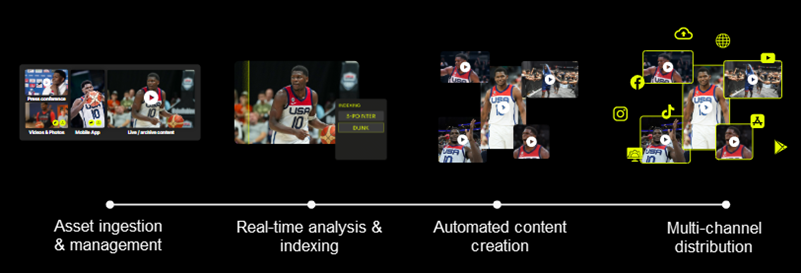
At a high level:
- Content managers create content in Arena and manage its delivery to viewers in the Experiences CMS embedded in Arena.
- You integrate the Experiences SDK into your digital properties and choose where Experiences appears in your app UI.
- The SDK requests content from Arena and shows it to viewers in your app or site.
For the how it works breakdown, see:
Experiences system flow
flowchart TD
  A["Content creation in Arena\n(Create, Rules, Clipro)"]
  B["CMS in Arena\n(Labels, Active status, schedules)"]
  C["Experiences SDK\n(Requests and presents content)"]
  D["Viewer experience\n(In your app or website)"]

  A --> B --> C --> D

  E["Content types:\nStories · Moments · Videos"]
  F["Player sources:\nWidgets · Entry points · Moments container"]
  G["Recommendations:\nTrending · Personalization · For you"]

  B -.-> E
  C -.-> F
  D -.-> G

  style A fill:#e3f2fd,stroke:#1565c0
  style B fill:#e8f5e9,stroke:#2e7d32
  style C fill:#fff3e0,stroke:#e65100
  style D fill:#fce4ec,stroke:#c62828
  style E fill:#e8f5e9,stroke:#2e7d32
  style F fill:#fff3e0,stroke:#e65100
  style G fill:#fff8e1,stroke:#f9a825
Content creation
Arena provides the following content creation workflows:
- Create: on-demand, guided video creation.
- Rules: event-based automation at scale.
- Clipro: full editorial control and post-production.
For the Stories, Moments, and Videos that Experiences delivers, see Content types.
Content management (CMS)
The CMS is part of Arena. Content managers use the CMS to decide what content is delivered, where it appears, and when it's available:
- Labels: group content and control where it appears. The SDK requests content by label.
- Active status: content is available to viewers only when Active is on. Content with Active off is a Draft.
- Availability schedule: schedules are set on labels and define when content is available, with a start time and an end time.
- Geo-targeting: control availability by viewer country. See Geo-targeting.
- CMS-configured widgets: build widgets in the CMS, then share the widget remote ID with your developer. See CMS-configured widgets.
Content is delivered when it matches a requested label, Active is on, and the current time is inside the label schedule. See CMS overview and Labels and scheduling.
Delivery
The embedded SDK fetches content from Arena and shows it in your app or site:
- Player sources: where viewers open content, using widgets, entry points, or the Moments container. See Player sources.
- Data sources: how the SDK selects content, using labels, IDs, free text search, or recommendations. See Data sources.
- Appearance: customize widgets and the player to match the look and feel of your app.
- Ads and analytics: your app can serve ads using the SDK, and you can track how viewers engage. See Ad capabilities in Experiences and Analytics options available.
Documentation
The Concepts section describes the features available in Experiences that are implemented in the SDKs. Get familiar with the Concepts, then follow the framework-specific documentation for your implementation.
| Framework | Start here |
|---|---|
| Android | Getting started Android |
| iOS | Getting started iOS |
| Web | Getting started Web SDK |
| React Native | Getting started React Native |
| Flutter | Getting started Flutter |
Key concepts
Before you start implementing, read these concepts:
Updated about 18 hours ago