
Performance dashboards
Use the performance dashboards to understand how viewers engage with Stories, Moments, and Videos. Each content type has its own dashboard with relevant metrics, charts, and filters.
Dashboard metrics
- Each dashboard shows summary and content-item metrics for the selected content type.
- Available metrics differ between Stories, Moments, and Videos. See Metric specifications and availability.
View dashboards
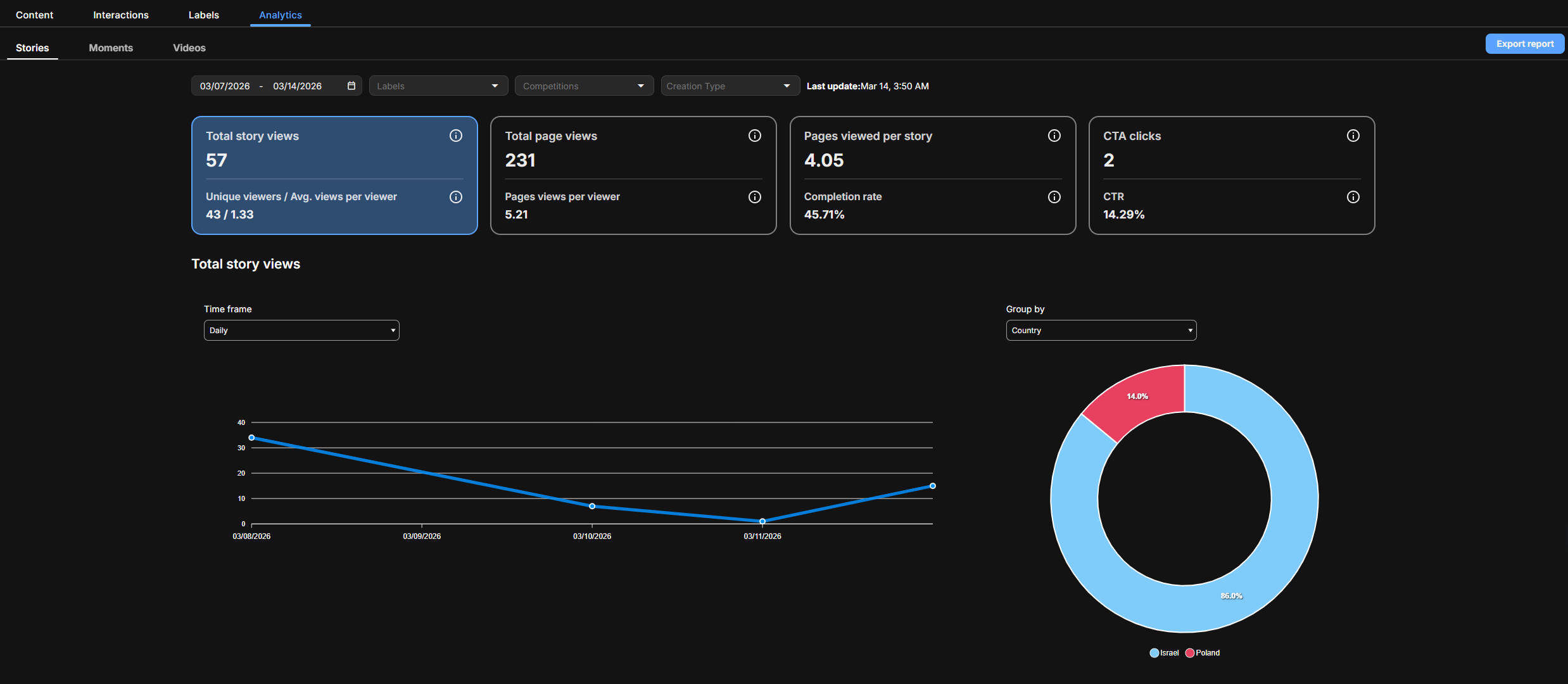
To view a dashboard:
- In Arena, go to CMS > Analytics.
- Select Stories, Moments, or Videos.
The dashboard displays. - Set filters as needed.
- To export the data, click Export report.
Dashboard filter options
Available filters depend on the content type and can include:
- Date range
- Labels
- Competitions
- User who created the content
- Creation type, such as pregame or in-game
Updated 3 months ago
Did this page help you?