
Viewer engagement (buttons and interactions)
Viewer engagement helps drive action and participation within your content. It includes CTA buttons and interactions that can be added to Stories and Moments, depending on the use case.
This article explains how engagements work, how they differ between Stories and Moments.
Viewer engagement principles
Engagement elements include CTA buttons and interactions.
CTA button principles
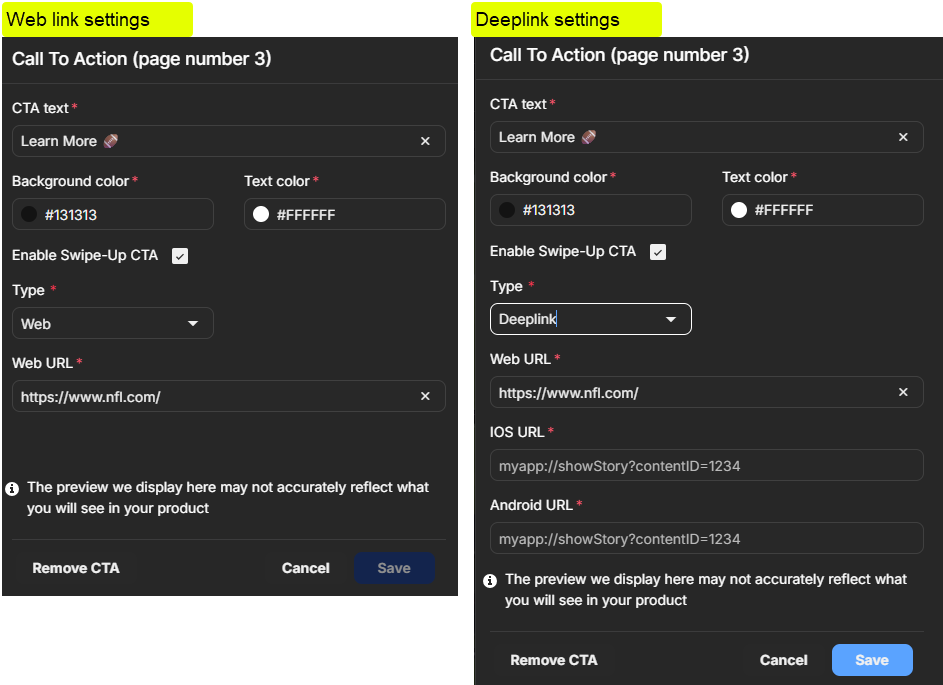
- Buttons that link viewers to destinations inside or outside your app
- Each CTA button uses either a web link or a deeplink
- Deeplinks are configured per platform type, such as iOS or Android
Quiz and Poll interaction principles
The interaction types available are:
- Polls:
- One question with two to four answer options
- Answer options can include images
- No correct or incorrect answer
- Quizzes:
- One question with two to four answer options
- Answer options can include images
- One answer is marked as correct
- Maximum number of characters:
- Questions: 65
- Answers: 18
Metrics per interaction are available. To see the metrics, select the interaction. Interaction metrics available are:
- Total views
- Unique viewers
- Total responses
- Conversion rate
- Poll and Quiz answer-level results
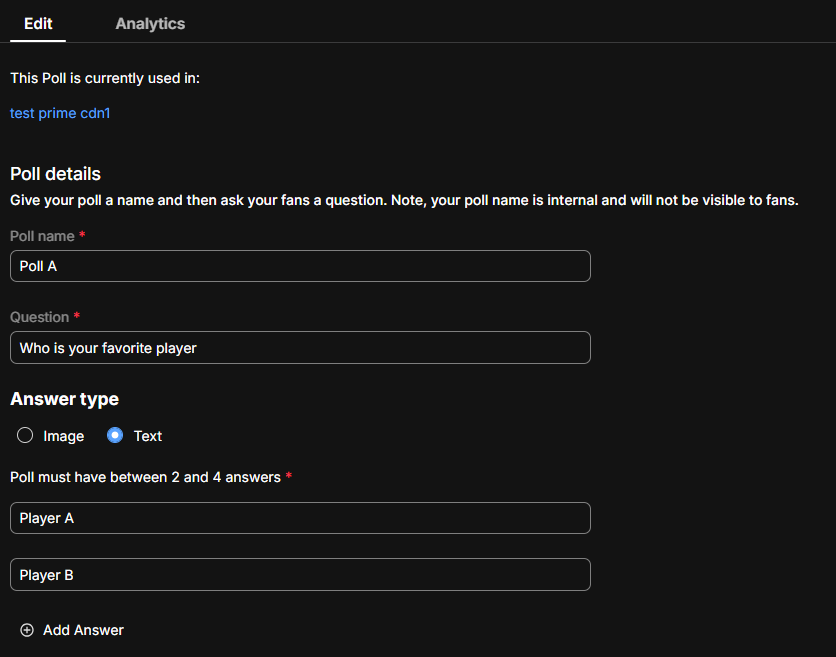
- Elements such as polls and quizzes that invite viewers to participate
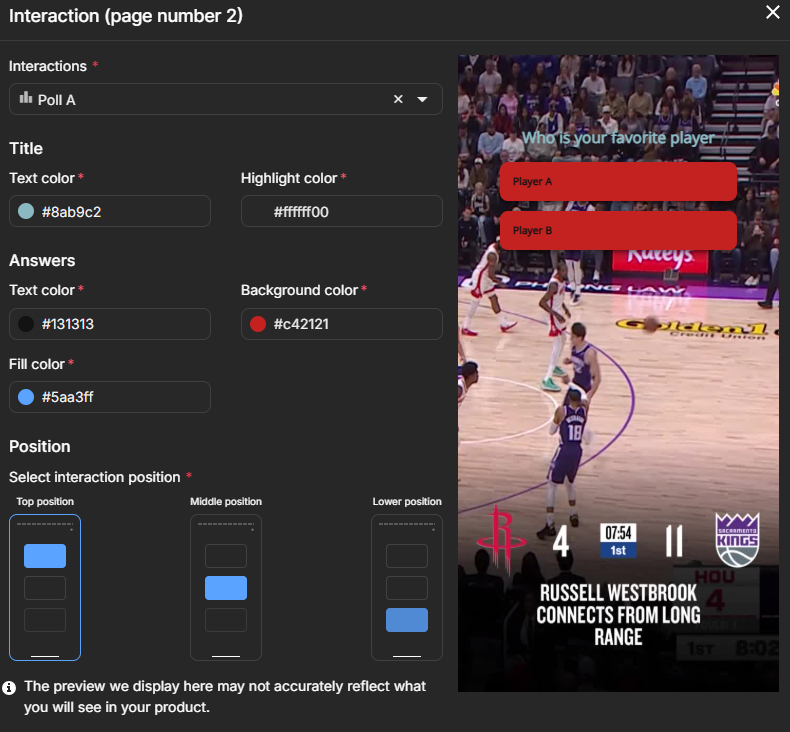
- Interactions are created and managed in the Interactions tab in CMS and can be used in one or more Stories
- Interaction analytics are available in the Interactions tab
- Interactions are deployed via Story Manager and can be applied to multiple Stories and to multiple pages per Story.
Engagement support per content type
| Content type | CTA buttons | Interactions | Applied at |
|---|---|---|---|
| Stories | Yes | Yes | Page level |
| Moments | Yes | No | Moment level |
Updated 4 months ago
Did this page help you?