
DataSource - React Native
and Label Expression
The BlazeWidgetView object in the Experiences SDK allows you to configure various properties to create a completely customizable experience.
This structure provides flexibility in configuring the data source for the Blaze widget, allowing you to tailor the filtering criteria according to your specific requirements.
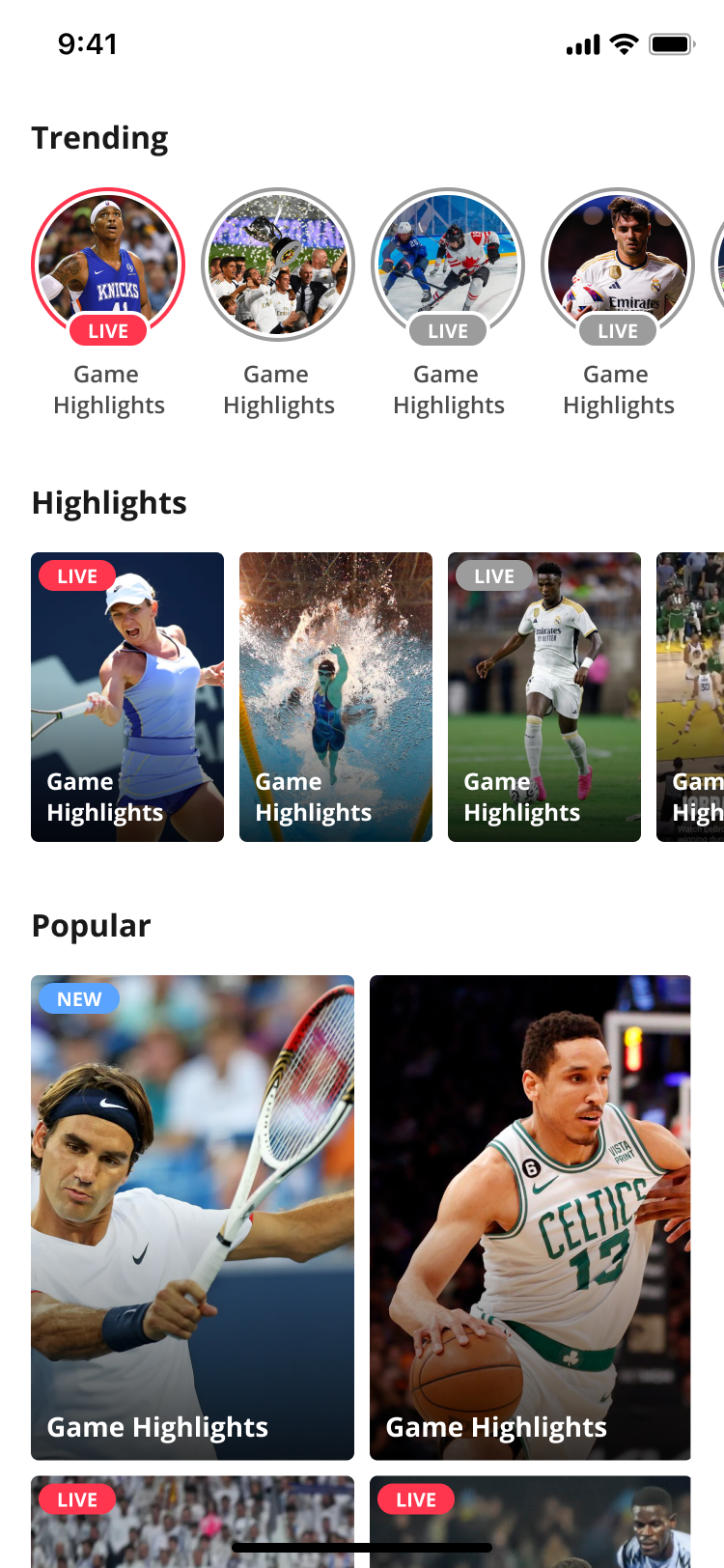
Widgets will notify if any data exists for display.Widget doesn't provide empty state UI display.
App developers should make sure to decide on proper logic for empty state.
dataSourceType
dataSource: BlazeDataSourceType = { ... }The dataSourceType property in the Blaze widget signifies the associated data source type.
This property allows you to specify the dataSourceType applied to the widget, enabling customization of the data source used for filtering stories.
In a React Native component for the widget, a crucial prop is the data source, defined by the BlazeDataSourceType type:
type BlazeDataSourceType =
  | { labels: BlazeWidgetLabel }
  | { ids: string[] }
  | { type: "search"; searchText: string; maxItems?: number; labels?: BlazeWidgetLabel }
  | { type: "composite"; dataSources: BlazeCompositeDataSourceEntry[] };
Options:
- labels - This value can be a simple single value or a logical expression built using 'MustInclude' and 'AtLeastOneOf' operators to build more complex filters.
- ids - Specific content id's
- type - see more at Android | IOS.
- search - Search content using free text. Params:
type: "search",searchText(required),maxItems(optional),labels(optional). - composite - Merge several data sources into one feed. Params:
type: "composite",dataSources(required).
For labels, the following options are available:
singleLabel("Real-Madrid"): only content that carriesReal-Madrid
dataSource = { labels: BlazeWidgetLabel.singleLabel("Real-Madrid") };mustInclude("Real-Madrid", "Benzema"): only content that carriesReal-MadridANDBenzema
dataSource = { labels: BlazeWidgetLabel.mustInclude("Real-Madrid", "Benzema") };atLeastOneOf("Real-Madrid", "Liverpool"): only content that carriesReal-MadridORLiverpool
dataSource = { labels: BlazeWidgetLabel.atLeastOneOf("Real-Madrid", "Liverpool") };Combining label expressions
mustInclude and atLeastOneOf accept other BlazeWidgetLabel expressions as well as strings. Build a complex expression by nesting: create the sub-expression first, then pass it in as an argument.
const playerOrTeam = BlazeWidgetLabel.atLeastOneOf("player", "team");
const forYouAndEither = BlazeWidgetLabel.mustInclude("for-you", playerOrTeam);
// [and, for-you, [or, player, team]]
Always nest. BlazeWidgetLabel also exposes instance methods, so a chained call like BlazeWidgetLabel.mustInclude("for-you").atLeastOneOf("player", "team") compiles, but it produces [or, [and, for-you], player, team]: a top-level OR that matches content carrying any single one of the labels. Chaining does not narrow the expression the way it reads.
Examples for Ids string
- ids:["contentId1"] ---> Only "contentId1"
- ids:["contentId1", "contentId2"] ---> Only "contentId1" and "contentId2"
Examples for Search:
- Search only:
dataSource = { type: "search", searchText: "barcelona" };- Search with max items and label expression filter:
dataSource = {
  type: "search",
  searchText: "barcelona",
  maxItems: 20,
  labels: BlazeWidgetLabel.mustInclude("football", "highlights"),
};
Examples for Composite:
- Combine a mandatory ids source with an optional labels source:
dataSource = {
  type: "composite",
  dataSources: [
    {
      dataSource: { ids: ["contentId1", "contentId2"] },
      config: { isMandatory: true },
    },
    {
      dataSource: { labels: BlazeWidgetLabel.singleLabel("moments") },
    },
  ],
};
composite
Available from React Native SDK 1.20.0. Each data source in dataSources is fetched independently and in parallel, and the results are merged in declaration order. When the same item id appears in more than one source, its first occurrence wins.
dataSources is an ordered array of BlazeCompositeDataSourceEntry and must not be empty.
| Value | Description |
|---|---|
| dataSource | The data source to fetch content from. A composite entry must not itself be another composite. |
| config | Optional BlazeCompositeDataSourceConfig for this entry. Defaults to { isMandatory: false } when omitted. |
BlazeCompositeDataSourceConfig:
| Value | Description |
|---|---|
| isMandatory | When true, a fetch failure for this data source fails the whole composite. An empty successful response (0 items) is not a failure. Defaults to false, so a failed source is skipped instead. |
If every data source fails, the composite fails regardless of isMandatory.
Recommendations cold start labels
Renamed in React Native SDK 1.20.0:promotedLabelsonBlazeRecommendationsType.ForYouis nowcoldStartLabels. There is no alias, so update any For you data source that still passespromotedLabels.
coldStartLabels is an array of strings used to fetch cold start content for users below the interaction threshold: content associated with these labels is returned while the user has too little interaction history for personalized recommendations. It applies to For you only, not Trending.
dataSource = {
  recommendationsType: {
    type: "ForYou",
    coldStartLabels: ["top-moments", "trending-teams"],
  },
};
BlazeDataSourceType
Represents the source of data for a specific content request.
| Value | Description |
|---|---|
| labels | A case that uses label to represent the data source. |
| ids | A case that uses an array of strings to represent unique identifiers for the data source. |
| type | A case that utilizes the BlazeRecommendationsType ability. See more at Android | IOS. |
| search | Search content using free text. Use type: "search". Supports searchText (required), optional maxItems, and an optional label expression filter (labels). Search does not support label priority or ordering. |
| composite | A case that merges several data sources into a single deduplicated feed. Use type: "composite" with an ordered dataSources array, optionally marking entries isMandatory. |
Updated 2 months ago