
BlazeStoryPlayerFirstTimeSlideStyle - React Native
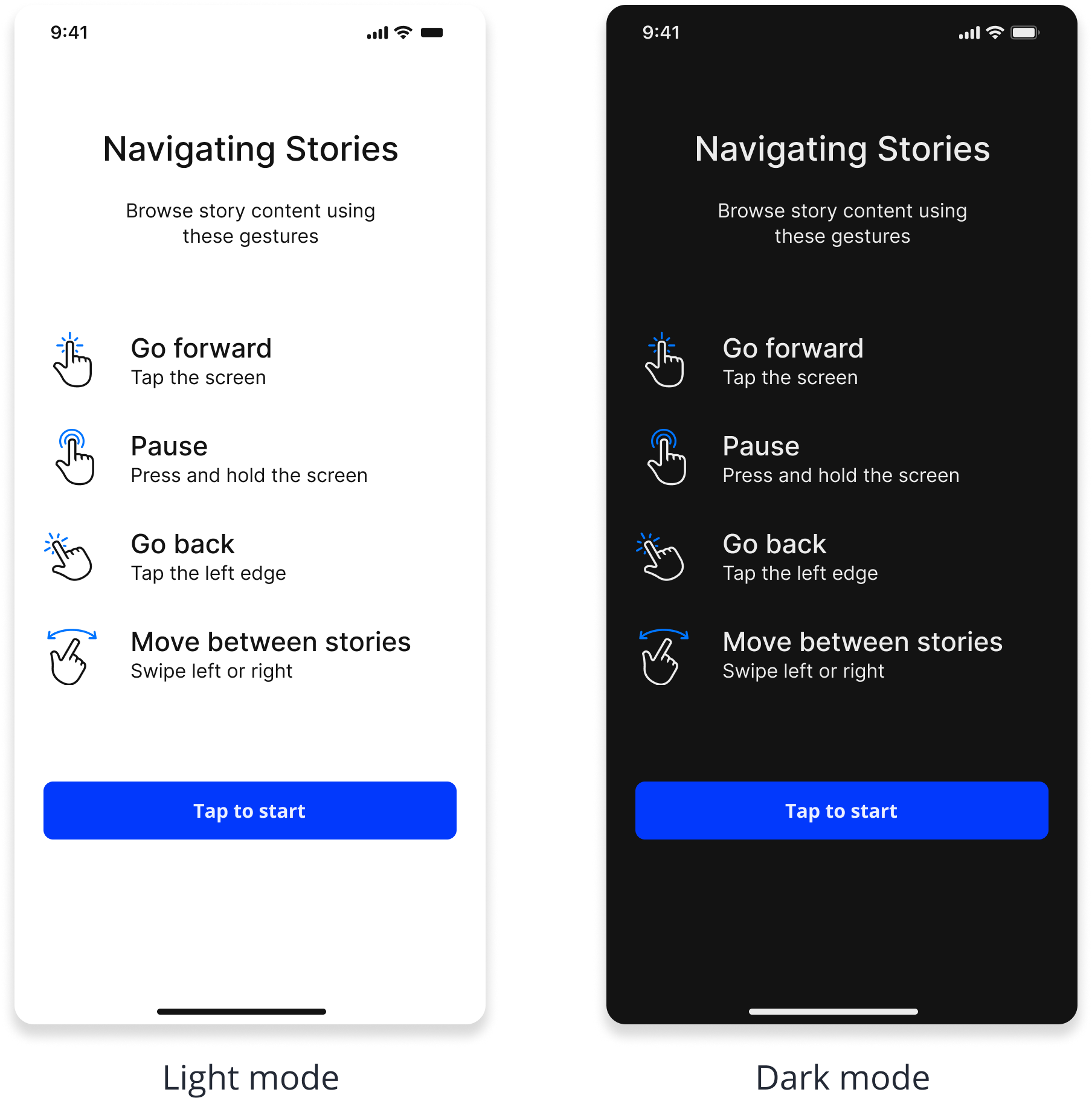
The BlazeStoryPlayerFirstTimeSlideStyle class represents the style configuration for the first-time slide in Blaze stories.
For step-by-step customization, see First time slide customizations and Viewer onboarding slide.
Properties
show
show?: booleanDetermines whether the first-time slide should be shown when a new user is detected.
cta
cta?: BlazeFirstTimeSlideCTAStyle = { }The style configuration for the Call to Action (CTA) button.
backgroundColor
backgroundColor?: BlazeColorThe background color of the first-time slide.
Indicates the Color BlazeColor
mainTitle
mainTitle?: BlazeFirstTimeSlideTextStyle = { }The main title text of the first-time slide.
subtitle
subtitle?: BlazeFirstTimeSlideTextStyle = { }The subtitle text of the first-time slide.
instructions
instructions?: BlazeStoryPlayerFirstTimeSlideInstructionsStyle { }The instructions included in the first-time slide.
Initialization
Initializes the appearance configuration for the first-time slide in Blaze stories player.
interface BlazeStoryPlayerFirstTimeSlideStyle {
  show?: boolean;
  cta?: BlazeFirstTimeSlideCTAStyle;
  backgroundColor?: BlazeColor;
  mainTitle?: BlazeFirstTimeSlideTextStyle;
  subtitle?: BlazeFirstTimeSlideTextStyle;
  instructions?: BlazeStoryPlayerFirstTimeSlideInstructionsStyle;
}
Updated about 2 months ago
Did this page help you?